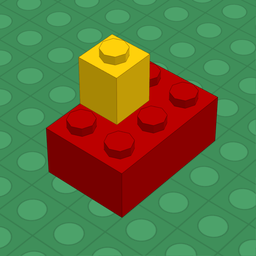
Build with bricks.
With your finger.
FingerBricker is an iPhone and iPad app for building brick models by touching the screen. Bring a piece where you want it and it snaps into place: on studs, sideways, into clips, onto hinges. Then build it for real with LEGO® bricks: the app gives you the instructions and the list of pieces to buy on BrickLink.
Download on the App Store For iPhone and iPad · works offline too
What it does
Real connections
Pieces connect the way they do in real life: on top and underneath, on side studs, in clips and on bars, on hinges. Doors and windows open, glass fits in its frame.
Ready-made parts and builds
Walls with windows, doors, roofs, stairs and trees to place as a single piece, and complete builds to open, explore and change. Save your own parts from a selection.
Building instructions
For every build, PDF instructions section by section: the parts to use, the picture to reach and the steps explained.
Parts list and shopping
The list of pieces by type and colour with BrickLink codes, as PDF or CSV, and the file to upload to BrickLink to buy them.
LDraw and Studio files
Opens and saves .ldr and .mpd files, the format of desktop editors such as LeoCAD and LDCad, and opens BrickLink Studio .io files: start at your desk, carry on while you are out.
Price
One app, everything included: buy it once and that's it.
| Price | $3.99 / €3.99, once |
|---|---|
| Catalogue | over 1,100 parts, all included |
| Pieces per build | up to 10,000 |
| Building area | up to 1 metre per side |
| Languages | Italian, English, German, French, Spanish, Portuguese |
| Subscriptions, in-app purchases, ads | none |
No cut-down version and no parts to unlock later: everything you see is in the app.
Support and privacy
Questions, problems, ideas: write to giorgio.difalco@gmail.com.
Privacy: the app collects no personal data and shows no ads. Your builds stay on your device; you share them when you choose.